AI Assistant
The AI Assistant helps you explore the data loaded in a Cosmograph project. You can ask for summaries, trends, explanations of the data structure, and other insights without leaving the project.
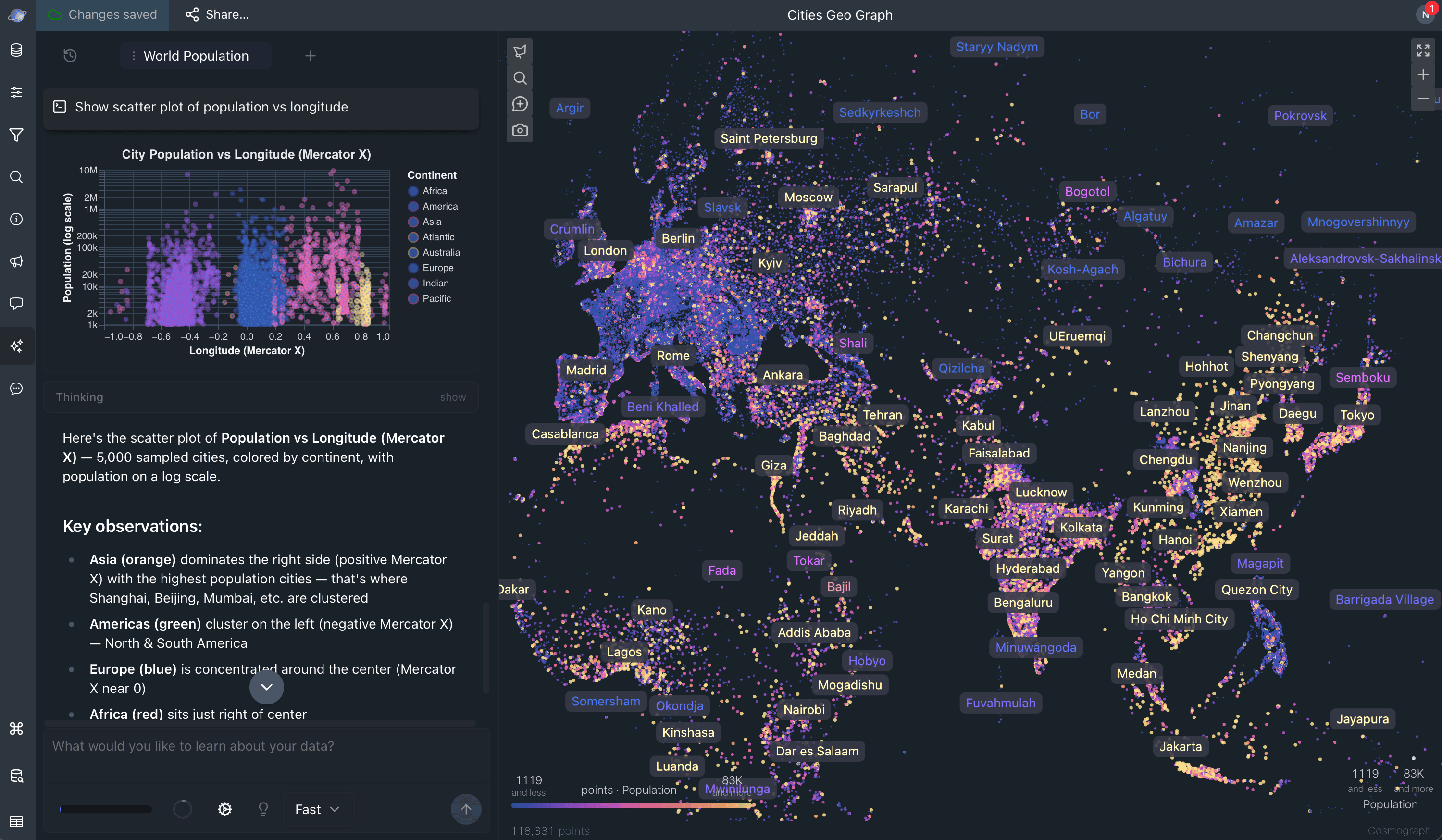
The Assistant is available after you sign in. All signed-in users can use the built-in Assistant within a daily allowance. Pro and Team plans include higher limits. Team also includes bring-your-own-key access to supported providers. See Plans and the Cosmograph Pricing page for plan information.
Open the Assistant
- Sign in or create a Cosmograph account.
- Open a project and load its data.
- Open the AI Assistant panel from the project interface.
- Ask a question in the composer.
The Assistant needs the project data to be loaded before it can analyze the graph.
Ask questions about your data
You can use plain language to ask questions such as:
- “Give me a summary of this data.”
- “What are the key trends?”
- “What questions can I ask to get insights from this data?”
- “Help me understand the data structure.”
The Assistant can run read-only queries against the project’s loaded data, return explanations, create supporting charts, and select matching points on the graph. Review generated answers against the underlying data before using them in important decisions.
Sessions and prompt suggestions
Assistant conversations are organized into sessions. Use the session control to switch between conversations and keep separate questions or investigations organized.
Prompt suggestions provide examples of questions to ask. You can hide the suggestions when you want more room for the conversation and show them again from the Assistant controls.
Modes, models, and providers
The built-in Cosmograph Assistant provides two modes:
- Fast for quick analysis and everyday help.
- Deep for harder reasoning and planning.
The built-in Assistant uses Cosmograph-managed model access. Team members can also select a supported external provider and add their personal API key from the Assistant composer. The current Team catalog includes GPT-5.6 Sol, Terra, and Luna; Claude Fable 5, Opus 4.8, and Sonnet 5; and Gemini 3.5 Flash, 3.1 Flash-Lite, and 3.1 Pro Preview.
Data and provider awareness
The Assistant runs its data queries against the project’s browser-based database. To answer a request, the selected model receives the conversation and the context or tool results included in that Assistant session. Query results can include sample rows used for analysis.
With the built-in Assistant, this model request uses Cosmograph-managed access. With a Team personal provider, Cosmograph relays the request to that provider’s official API endpoint; it does not use Cosmograph’s OpenRouter connection. Do not use a provider with sensitive data unless its data-handling terms meet your organization’s requirements.
Treat prompts, model context, and personal API keys as sensitive. Avoid including secrets in prompts, review the selected provider before sending a request, and use your organization’s approved AI workflow for confidential data.
Personal API keys
Team personal API keys are stored only in this browser’s SQLRooms AI settings. They are not included in the saved or published project configuration, and are used only for the provider you select. Their availability, model catalog, usage, and billing are controlled by that provider in addition to Cosmograph’s Team plan access.
Usage and limits
The Assistant displays usage and context information in its controls. A session keeps prior messages, reasoning, and tool results in model context. Use Summarize and Fork from the context control to continue with a compact summary in a new session.
Daily quotas and budgets can vary by plan and may change over time. When a quota or budget is reached, the composer shows a limit notice until more usage becomes available.
The Assistant’s model selector, settings, usage indicator, and Subscription page are the current sources of truth for availability and access.