Size
In addition to coloring, Cosmograph allows you to dynamically size points and links to represent quantitative differences in your data, making your graph even more expressive.
Sizing is managed through a set of predefined strategies. Each strategy is an algorithm that dictates how data is translated into pixel sizes for points or widths for links. You can explicitly select a strategy to match your visualization goals, or you can let Cosmograph automatically select the most suitable one based on your data.
Point Sizing Strategies
Point sizing is primarily dependent on the pointSizeBy configuration property, which specifies the data column to use for sizing.
You can explicitly set a sizing strategy using the pointSizeStrategy property. If not provided, Cosmograph will choose an optimal strategy.
| Strategy | Description | Key Properties |
|---|---|---|
single | Sizes all points with a single, uniform size. | pointDefaultSize* |
auto | Automatically sizes points based on numeric data within a range. | pointSizeBy (numeric), pointSizeRange* |
degree | Sizes points based on their number of connections (degree). | Links data, pointSizeRange* |
preciseDegree | Same as 'degree', but uses exact values without clamping outliers. | Links data, pointSizeRange* |
direct | Uses data values directly as sizes, or via a custom function. | pointSizeBy (numeric), or pointSizeByFn |
undefined | Automatically selects the most suitable strategy. |
* Optional. If not provided, default predefined size/range will be used.
All strategies can be used as string values (e.g., 'auto') or as enums exported from Cosmograph (e.g., PointSizeStrategy.Auto).
single
Exported enum: CosmographPointSizeStrategy.Single
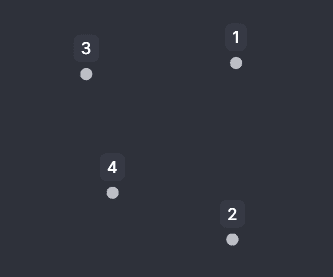
Applies a uniform size to all points, as specified by the pointDefaultSize property.
auto
Exported enum: CosmographPointSizeStrategy.Auto
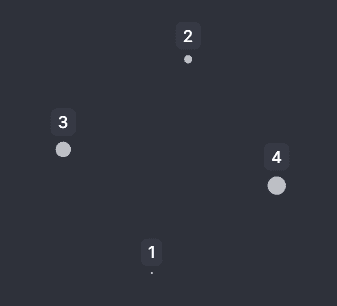
Automatically scales numeric values from the pointSizeBy column to fit within the pointSizeRange defined in pixels. It uses symmetric log scaling to handle wide data distributions effectively.
degree and preciseDegree
Exported enum: CosmographPointSizeStrategy.Degree and CosmographPointSizeStrategy.PreciseDegree
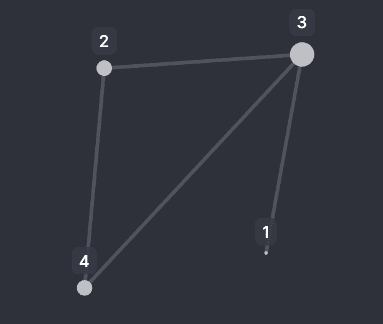
These strategies size points based on their degree (number of connections), scaled within the pointSizeRange. This is useful for highlighting highly-connected points without needing a specific data column.
'degree': Clamps the degree values to the 5th and 95th percentiles before scaling. This reduces the visual impact of extreme outliers.'preciseDegree': Uses the exact degree values for scaling.
direct
Exported enum: CosmographPointSizeStrategy.Direct
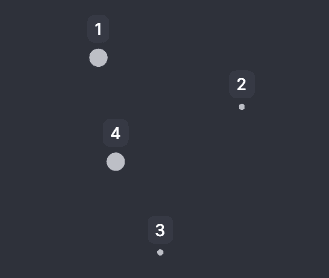
Uses values from the pointSizeBy column directly as pixel sizes. Alternatively, you can provide a pointSizeByFn to programmatically calculate sizes.
If a value is not parseable as size, or can’t be transformed into size by pointSizeByFn, pointDefaultSize is used.
undefined (automatic strategy resolution)
If pointSizeStrategy is not set, Cosmograph resolves it in this order of priority:
| Priority | Condition | Resulting Strategy |
|---|---|---|
| 1 | pointSizeByFn is provided | 'direct' |
| 2 | pointSizeBy has numeric data | 'auto' |
| 3 | Links are provided (and no pointSizeBy) | 'degree' |
| 4 | Fallback | 'single' |
Link Sizing Strategies
Link sizing (width) works similarly to point sizing and mostly depends on the linkWidthBy property.
You can explicitly set a sizing strategy using the linkWidthStrategy property. If not provided, Cosmograph will choose an optimal strategy.
| Strategy | Description | Key Properties |
|---|---|---|
single | Sets all links to a single, uniform width. | linkDefaultWidth* |
sum | Aggregates numeric values with a sum and maps it to a width. | linkWidthBy (numeric), linkWidthRange* |
average | Aggregates numeric values with an average and maps it to a width. | linkWidthBy (numeric), linkWidthRange* |
count | Sets link width based on the number of parallel edges. | Links data, linkWidthRange* |
direct | Uses data values directly as widths, or via a custom function. | linkWidthBy, or linkWidthByFn |
undefined | Automatically selects the most suitable strategy. |
* Optional. If not provided, default predefined width/range will be used.
All strategies can be used as string values (e.g., 'sum') or as enums exported from Cosmograph (e.g., LinkWidthStrategy.Sum).
single
Exported enum: CosmographLinkWidthStrategy.Single
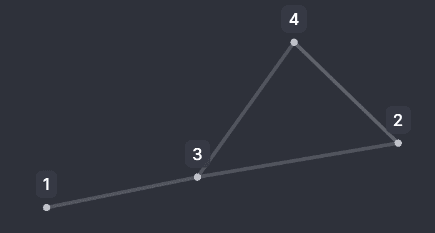
This strategy applies a uniform width to all links, as specified by the linkDefaultWidth property.
sum
Exported enum: CosmographLinkWidthStrategy.Sum
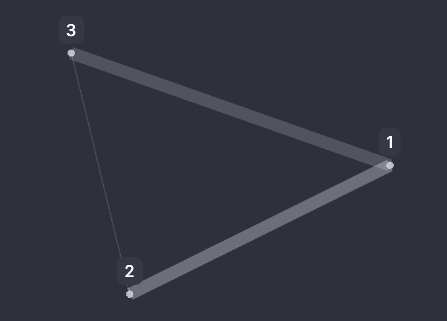
When multiple links (parallel edges) exist between two points, this strategy calculates the sum of their values in the linkWidthBy column and scales the result to fit within the linkWidthRange. This is useful for representing the total magnitude of connections.
average
Exported enum: CosmographLinkWidthStrategy.Average
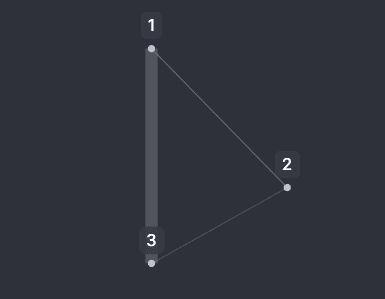
Similar to 'sum', this strategy aggregates values for parallel edges but calculates the average instead. The result is then scaled to the linkWidthRange. This is useful for understanding the typical value of connections.
count
Exported enum: CosmographLinkWidthStrategy.Count
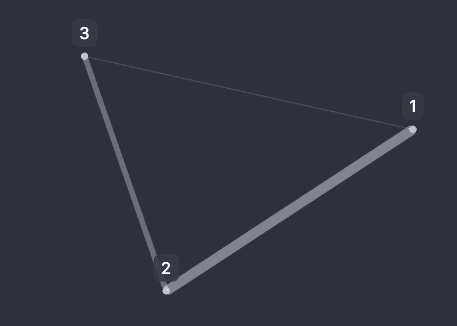
This strategy sets the link width based on the number of parallel edges between two points, scaled to the linkWidthRange. It does not require the linkWidthBy property, as it only counts the occurrences of links.
direct
Exported enum: CosmographLinkWidthStrategy.Direct
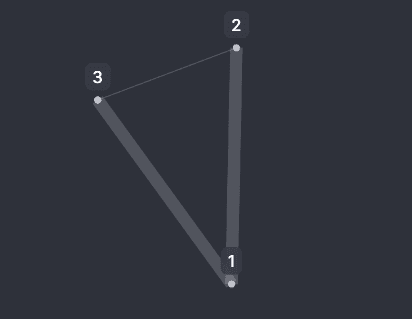
Uses values from the linkWidthBy column directly as pixel widths. Alternatively, you can provide a linkWidthByFn to programmatically calculate widths.
If a value is not parseable as width, or can’t be transformed into width by linkWidthByFn, linkDefaultWidth is used.
undefined (automatic strategy resolution)
If linkWidthStrategy is not set, Cosmograph resolves it in this order of priority:
| Priority | Condition | Resulting Strategy |
|---|---|---|
| 1 | linkWidthByFn is provided | 'direct' |
| 2 | linkWidthBy has numeric data | 'sum' |
| 3 | Links are provided (and no linkWidthBy) | 'count' |
| 4 | Fallback | 'single' |