Color
Cosmograph provides powerful and flexible ways to color both points and links in your graph visualizations. You can color elements based on data attributes, topology, or even custom logic.
Coloring in Cosmograph is managed through a set of predefined strategies. Each strategy is an algorithm that dictates how data column values are translated into visual colors. You can explicitly select a strategy to match your visualization goals, or you can let Cosmograph automatically select the most suitable one based on your data’s type and structure. This provides both fine-grained control and ease of use.
Point Coloring Strategies
Point coloring is primarily dependent on the pointColorBy configuration property, which specifies the data column to use for coloring.
You can explicitly set a coloring strategy using the pointColorStrategy property. If not provided, Cosmograph will choose an optimal strategy.
| Strategy | Description | Key Properties |
|---|---|---|
single | Colors all points with a single, uniform color. | pointDefaultColor* |
categorical | Assigns discrete colors from a palette to unique data values. | pointColorBy, pointColorPalette* |
continuous | Creates a smooth color gradient based on data values. | pointColorBy, pointColorPalette* |
map | Maps data values to specific colors from a provided object. | pointColorBy, pointColorByMap |
degree | Colors points based on their number of connections (degree). | Links data, pointColorPalette* |
preciseDegree | Same as 'degree', but uses exact values without clamping outliers. | Links data, pointColorPalette* |
linkDirection | Colors points based on link directionality (source, target, or both). | Links data |
direct | Uses data values directly as colors, or via a custom function. | pointColorBy with color strings, or pointColorByFn |
undefined | Automatically selects the most suitable strategy based on the data type and structure. |
* Optional. If not provided, default predefined color/palette will be used.
All strategies can be used as string values or as enums exported from Cosmograph (e.g. 'categorical' → CosmographPointColorStrategy.Categorical).
single
Exported enum: CosmographPointColorStrategy.Single
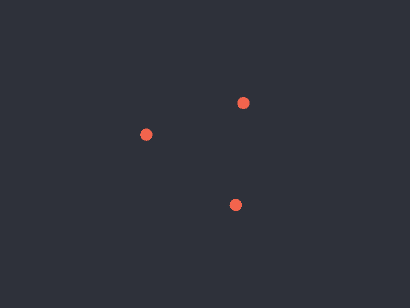
This strategy colors all points uniformly with the color specified in pointDefaultColor.
categorical
Exported enum: CosmographPointColorStrategy.Categorical
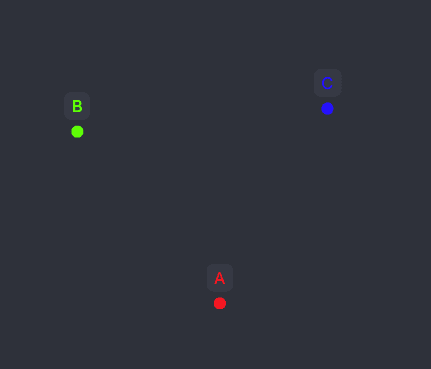
Assigns colors from the pointColorPalette to distinct values in the pointColorBy column.
- For categorical data (strings, booleans): Each unique value is assigned a color from the palette. If there are more unique values than colors, the palette cycles.
- For numeric data: The data range is divided into equal-width buckets, and each bucket is assigned a color from the palette.
nullorundefinedvalues will use theunknownColor.
continuous
Exported enum: CosmographPointColorStrategy.Continuous
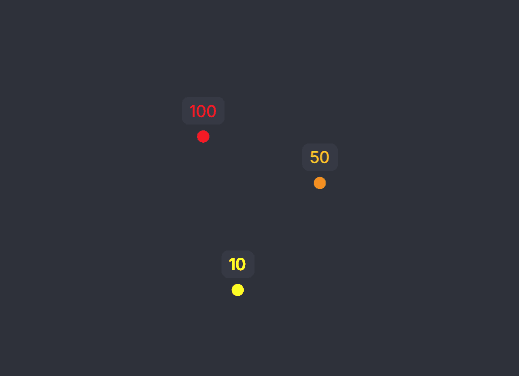
Interpolates colors from the pointColorPalette over the data in the pointColorBy column. This creates smooth color gradients.
- For numeric data: Creates a continuous color scale.
- For categorical data: Creates an evenly-spaced color scale by interpolating between palette colors to assign a unique color to every unique value.
nullorundefinedvalues will use theunknownColor.
map
Exported enum: CosmographPointColorStrategy.Map
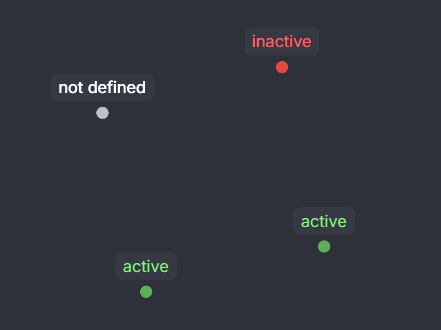
Uses a predefined map (pointColorByMap) to assign specific colors to values from the pointColorBy column. This is useful for exact color control.
- If a value from
pointColorByis not found in the map,unknownColoris used.
degree and preciseDegree
Exported enum: CosmographPointColorStrategy.Degree and CosmographPointColorStrategy.PreciseDegree
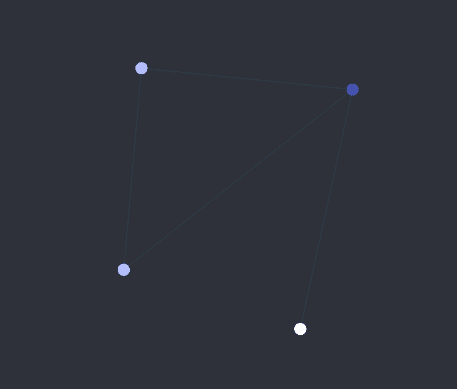
Colors points based on their degree (number of connections). The colors are interpolated from the pointColorPalette.
'degree': Clamps the degree values to the 5th and 95th percentiles of the total degree distribution before mapping to the color scale. This helps to reduce the effect of outliers with very high or low degrees.'preciseDegree': Uses the exact degree values without clamping.
This strategy works only when links are provided.
linkDirection
Exported enum: CosmographPointColorStrategy.LinkDirection
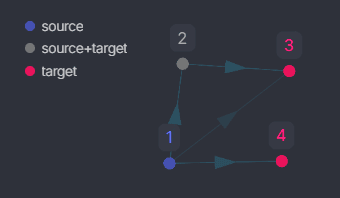
Colors points based on their role as a source, target, or both in links.
This strategy works only when links are provided.
direct
Exported enum: CosmographPointColorStrategy.Direct
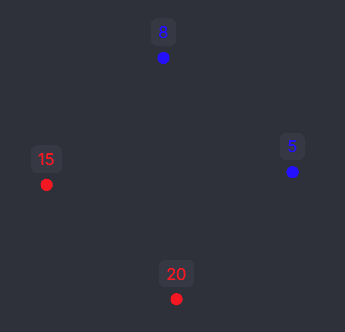
This strategy uses values from the pointColorBy column directly as colors. The values should be valid color strings (e.g., hex, rgb, named colors) or an array of [r, g, b, a].
Alternatively, you can provide a pointColorByFn function to transform values into colors programmatically. This provides maximum flexibility.
If a value is not parseable as color, or can’t be transformed into color by pointColorByFn, unknownColor is used.
undefined (automatic strategy resolution)
If pointColorStrategy is not set, Cosmograph resolves it in this order of priority:
| Priority | Condition | Resulting Strategy |
|---|---|---|
| 1 | pointColorByFn is provided | 'direct' |
| 2 | pointColorByMap is provided | 'map' |
| 3 | pointColorBy has numeric data | 'continuous' |
| 4 | pointColorBy has string/boolean data | 'categorical' |
| 5 | Links are provided (and no pointColorBy) | 'degree' |
| 6 | Fallback | 'single' |
Link Coloring Strategies
Link coloring works similarly to point coloring and mostly depends on the linkColorBy property.
You can explicitly set a coloring strategy using the linkColorStrategy property. If not provided, Cosmograph will choose an optimal strategy.
| Strategy | Description | Key Properties |
|---|---|---|
single | Colors all links with a single, uniform color. | linkDefaultColor* |
sum | Aggregates numeric values with a sum and maps it to a color. | linkColorBy (numeric), linkColorPalette* |
average | Aggregates numeric values with an average and maps it to a color. | linkColorBy (numeric), linkColorPalette* |
count | Colors links based on the number of parallel edges between points. | Links data, linkColorPalette* |
categorical | Assigns discrete colors from a palette to unique data values. | linkColorBy, linkColorPalette* |
direct | Uses data values directly as colors, or via a custom function. | linkColorBy with color strings, or linkColorByFn |
undefined | Automatically selects the most suitable strategy based on the data type and structure. |
* Optional. If not provided, default predefined color/palette will be used.
All strategies can be used as string values or as enums exported from Cosmograph (e.g. 'categorical' → CosmographLinkColorStrategy.Categorical).
single
Exported enum: CosmographLinkColorStrategy.Single
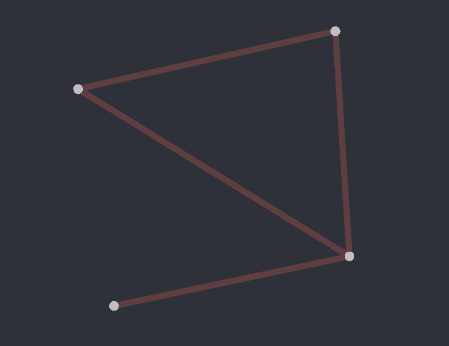
This is the default fallback strategy. It colors all links uniformly with the color specified in linkDefaultColor.
sum
Exported enum: CosmographLinkColorStrategy.Sum
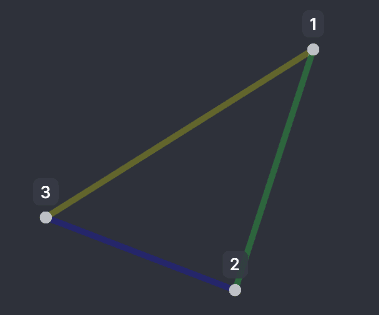
This strategy is useful when you have multiple links between the same two points. It uses the sum of numeric values in linkColorBy for all links between two points. The colors are interpolated from the linkColorPalette.
This has effect only if linkColorBy provided and has numeric data.
average
Exported enum: CosmographLinkColorStrategy.Average
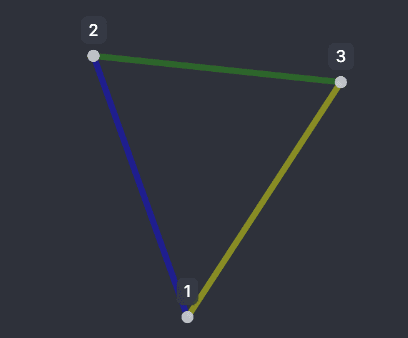
This strategy uses the average of numeric values in linkColorBy for all links between two points. The colors are interpolated from the linkColorPalette.
This has effect only if linkColorBy provided and has numeric data.
count
Exported enum: CosmographLinkColorStrategy.Count
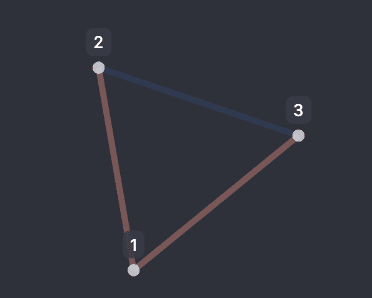
This strategy uses the total number of links between two points to determine color. The colors are interpolated from the linkColorPalette.
linkColorBy is not required for this strategy.
categorical
Exported enum: CosmographLinkColorStrategy.Categorical
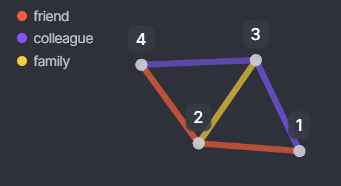
Assigns colors from the linkColorPalette to distinct values in the linkColorBy column.
- For categorical data (strings, booleans): Each unique value is assigned a color from the palette, which cycles if needed.
- For numeric data: Divides the data into equal-width buckets, each assigned a color.
direct
Exported enum: CosmographLinkColorStrategy.Direct
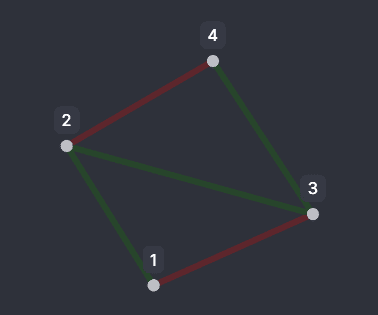
This strategy uses values from the linkColorBy column directly as colors (values should be valid color strings or [r, g, b, a] arrays), or uses a linkColorByFn for programmatic coloring.
Alternatively, you can provide a linkColorByFn function to transform values into colors programmatically. This provides maximum flexibility.
If a value is not parseable as color, or can’t be transformed into color by linkColorByFn, unknownColor is used.
undefined (automatic strategy resolution)
If linkColorStrategy is not set, Cosmograph resolves it in this order of priority:
| Priority | Condition | Resulting Strategy |
|---|---|---|
| 1 | linkColorByFn is provided | 'direct' |
| 2 | linkColorBy has numeric data | 'sum' |
| 3 | linkColorBy has string/boolean data | 'categorical' |
| 4 | Links are provided (and no linkColorBy) | 'count' |
| 5 | Fallback | 'single' |